
OXO Coffee Grinder Manual | Setup & Operation Instructions
To operate your OXO conical burr coffee grinder, assemble the grounds container on the base, select a grind size from 1 to 15 by rotating the hopper, choose a grinding mode (Cups, Grams, or Manual), and press the OXO button to start. The integrated scale in the 8710200 model automatically stops grinding in Cups or Grams mode when the target weight is reached.
Most people unpack the grinder, pour in beans, and hit the button. The machine grinds, but the result is inconsistent or the scale seems broken. That’s because the OXO grinder’s three modes and its scale activation have specific, non-negotiable rules the quick-start guide often skips.
This manual breaks down the exact steps for the OXO 8710200 Barista Brain and 8717000 Brew grinder models. You’ll learn how the scale really works, why you must adjust the grind dial with the motor running, and how to avoid the static mess that plagues every first use.
Key Takeaways
- The integrated scale only works in Cups or Grams mode and requires the stainless steel plate, container, and lid to be correctly seated on the base.
- Always adjust the grind size dial while the motor is running to prevent coffee grounds from jamming between the burrs.
- The grinder defaults to Cups mode when first plugged in, but afterwards remembers your last used mode, even after being unplugged.
- For the best flavor, use the manufacturer’s standard of 8 grams of ground coffee per 5-ounce cup when programming the Cups mode.
- Static is a given with any burr grinder; spritzing beans with a drop of water before grinding cuts the mess by about 80 percent.
Before You Start: Safety & Setup
Before you start: This grinder uses a 110V outlet. Ensure your hands are dry when plugging it in. The stainless steel burrs are sharp — never insert fingers, tools, or utensils into the bean hopper or grind chute. Unplug the grinder before any cleaning not described in the manual.
Your first job is assembly. Slide the included stainless steel grounds container onto the front of the grinder base. Push it firmly until you hear and feel a click. This click is not just for stability. It completes the electrical circuit for the integrated scale on the OXO 8710200 model. If the container isn’t clicked in, the scale won’t activate, and the grinder may not start in Cups or Grams mode.
Place the plastic lid on top of the container. This lid is also mandatory for scale operation. The system weighs the entire container, lid, and grounds as a unit. Remove the lid from the bean hopper and fill it with whole coffee beans. The hopper doesn’t have a built-in bean shutoff, so only pour in what you plan to grind immediately for the freshest taste. Secure the hopper lid.
TL;DR: Click the grounds container into place and put its lid on. This completes the scale circuit. Fill the hopper with beans.
Understanding Your Grinder’s Anatomy
The OXO uses a high-torque, low-speed DC motor that spins at 400 rpm. This slow speed is deliberate. It keeps friction low, which prevents the beans from overheating during grinding. Heat during grinding cooks off volatile aromatic compounds before the water ever touches the grounds. The motor drives a set of 40mm stainless steel conical burrs.
Conical burrs crush beans between an outer ring and an inner cone. This design produces a more consistent particle size than blade chopping. Consistent particle size is the single biggest factor in even extraction. If you’re moving from a blade grinder, the upgrade in cup clarity is immediate.
Around the bean hopper, you’ll find the grind size selector dial. It rotates to 15 distinct click positions. Setting 1 is the finest, intended for espresso machines. Setting 15 is the coarsest, designed for French press. The front panel houses the control buttons: MODE, the OXO start/stop button, and, on the 8710200, up/down arrows for setting weight or cup count.
The OXO Barista Brain Grinder’s 400 rpm motor and 40mm stainless steel conical burrs are engineered to minimize heat transfer and static buildup during the grinding process, preserving volatile coffee aromatics that are typically lost in higher-speed or blade-based systems.
The importance of using real burr grinders over blades for consistency can’t be overstated. It’s the foundation of good coffee. If you’re ever in a pinch without your grinder, know that grinding coffee beans in a blender is a messy, inconsistent last resort.
The Three Grinding Modes Explained
Press the MODE button to cycle through the grinder’s three operating states: Cups, Grams, and Manual/Portafilter. Each mode changes how the grinder measures output and whether the integrated scale is active. This is the core of the OXO’s “Barista Brain” functionality and the source of most confusion.
Cups Mode is the default when you first plug in the machine. You use the up/down arrows to select a number of cups from 1 to 12. The grinder’s programming assumes each “cup” equals 5 fluid ounces of brewed coffee, using the SCAA (Specialty Coffee Association of America) gold cup ratio of approximately 8 grams of ground coffee per cup. It uses the built-in scale to grind exactly the right weight of coffee to hit that ratio automatically.
Grams Mode lets you select a target output weight directly, from 1 to 125 grams. This is the mode for precision. It’s ideal for pour-over, AeroPress, or any recipe that calls for a specific coffee weight. Like Cups mode, the scale is active and will stop the grinder when the target weight is reached in the container.
Manual/Portafilter Mode disables the integrated scale entirely. The grinder will run continuously as long as you hold the OXO button or until you press it again to stop. This mode is designed for grinding directly into an espresso machine’s portafilter. Since a portafilter isn’t seated on the scale, the weight-based auto-stop is irrelevant.
| Mode | Scale Active? | Best For | Key Limitation |
|---|---|---|---|
| Cups | Yes | Drip coffee makers, batch brewing | Assumes 8g per 5oz cup; not customizable. |
| Grams | Yes | Pour-over, AeroPress, precision brewing | Maximum 125g capacity. |
| Manual | No | Espresso portafilters, continuous feed | Requires manual timing; no auto-stop. |
Common mistake: Trying to use Grams mode without the container lid — the scale won’t tare correctly, and the grind will either stop prematurely or run way past your target weight.
You cannot change the mode while the grinder is running. You must press the OXO button to stop any active grind, then press MODE. Similarly, you cannot adjust the cup count or gram target mid-grind. The logic is locked until the cycle finishes. This prevents accidental overrides that would waste beans.
TL;DR: Cups and Grams modes use the scale for auto-stop; Manual mode does not. You can’t switch modes or adjust targets while grinding.
Step-by-Step Grinding Procedure

Follow this sequence every time for consistent results and to avoid jams.
- Ensure proper assembly. The grounds container must be clicked onto the base. The container lid must be in place. This is non-negotiable for scale operation. Missing this step is why most people think the scale is broken on their first use.
- Select your grind size. Rotate the outer hopper to your desired setting. Here is the critical rule from the manual: Adjust the grind size while the motor is running. If you adjust it while the burrs are stationary, fine grounds can settle between the burrs and cause a jam on the next startup. If you need to change the setting, either do it as the grinder runs or give the hopper a firm tap after adjusting to dislodge any trapped particles.
- Choose your grinding mode. Press MODE to select Cups, Grams, or Manual. Remember the scale rules. If you’re grinding into a portafilter held by hand, you must use Manual mode.
- Set your target (if applicable). In Cups or Grams mode, use the up and down arrows to set the desired number of cups (1-12) or weight in grams (1-125). The display will show your selection.
- Start grinding. Press the OXO button. In Cups or Grams mode, the grinder will run and automatically stop when the target weight is reached in the container. In Manual mode, it will run until you press the OXO button again. Do not touch or shake the grinder during operation — it affects the scale’s accuracy.
- Remove the container. Pull the container straight off the base. You can now pour your grounds into a filter, portafilter, or storage container.
- Deal with static. Static cling is normal, especially in dry climates. A single spritz of water from a spray bottle onto the beans in the hopper before grinding neutralizes the charge. The difference in mess is dramatic.
This process is similar to following any detailed appliance manuals, where skipping a setup step leads to frustration. Just as you would consult a coffee maker guides for your brewer, treat these steps as the essential recipe for your grinder.
Troubleshooting Common Issues
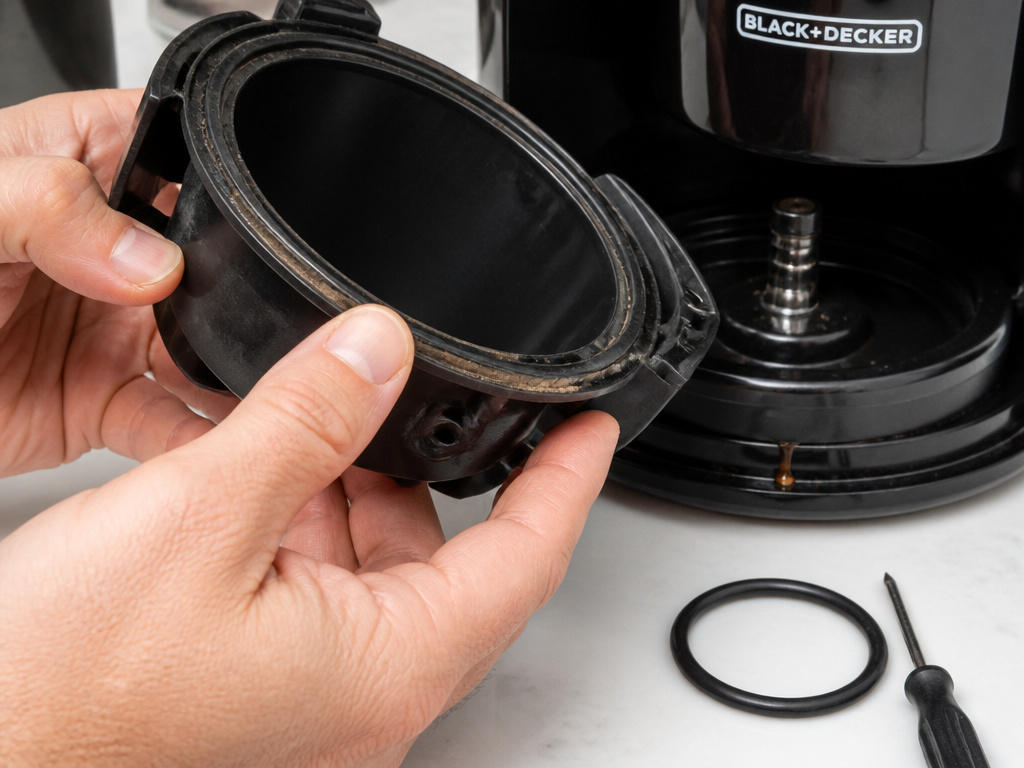
Even with perfect procedure, things can go wrong. Here’s what to check.
Grinder won’t start.
First, check the basics: is it plugged into a 110V outlet? Is the grounds container fully clicked onto the base? If you’re in Cups or Grams mode, the container and its lid must be correctly seated. If you’re in Manual mode, the container can be off, but the machine still needs to be assembled. The grinder also enters a sleep mode after 20 seconds of inactivity. Press any button to wake it up.
Grind is inconsistent or burrs are jammed.
You likely adjusted the grind size dial while the motor was off. Fine grounds get trapped between the burrs. Unplug the grinder. Remove all beans from the hopper. Use a soft brush (like a clean pastry brush) to sweep out any loose grounds from the hopper and the burr area. Rotate the grind dial back and forth through its full range several times to help dislodge particles. Replug, set to a coarse setting, and run the grinder empty for a second. This usually clears it.
Scale is inaccurate or grinding doesn’t auto-stop.
The scale is sensitive. Are you touching or bumping the machine during grinding? The weight reading will fluctuate. Ensure the grinder is on a stable, level surface. Also, static can cause grounds to cling to the inside of the chute instead of falling into the container, fooling the scale. The spritz of water trick helps here.
Static makes a huge mess.
This is the most common complaint. The low-speed 400 rpm motor helps, but it doesn’t eliminate static. Use the water spritz method. One tiny spray into the bean hopper is enough. It doesn’t affect the grind or the beans. The grounds will behave, falling cleanly into the container instead of poofing out when you remove the lid.
Machine defaults to Cups mode every time.
It only does this the very first time it’s plugged in. After that, it remembers the last mode you used, even after being unplugged. If it’s reverting to Cups, you might be pressing the MODE button accidentally during startup, or there could be a memory circuit issue. Try unplugging it for two full minutes, then plug it back in and set your preferred mode.
| Symptom | Likely Cause | Immediate Fix |
|---|---|---|
| No power / won’t start | Sleep mode, or container not seated | Press a button; re-seat container and lid. |
| Inconsistent grind | Burr jam from dial adjustment while off | Clear beans, brush burrs, run empty on coarse. |
| Static mess | Dry beans, dry environment | Spritz beans with a single spray of water pre-grind. |
| Scale inaccuracy | Bumping grinder, static cling | Stabilize surface, use water spritz, don’t touch. |
Maintenance is part of the deal, much like keeping your Breville machines clean or knowing the right Bunn filters for your brewer. Your choice in filter materials can also impact taste, just as your grind consistency does.
Cleaning & Maintenance Schedule
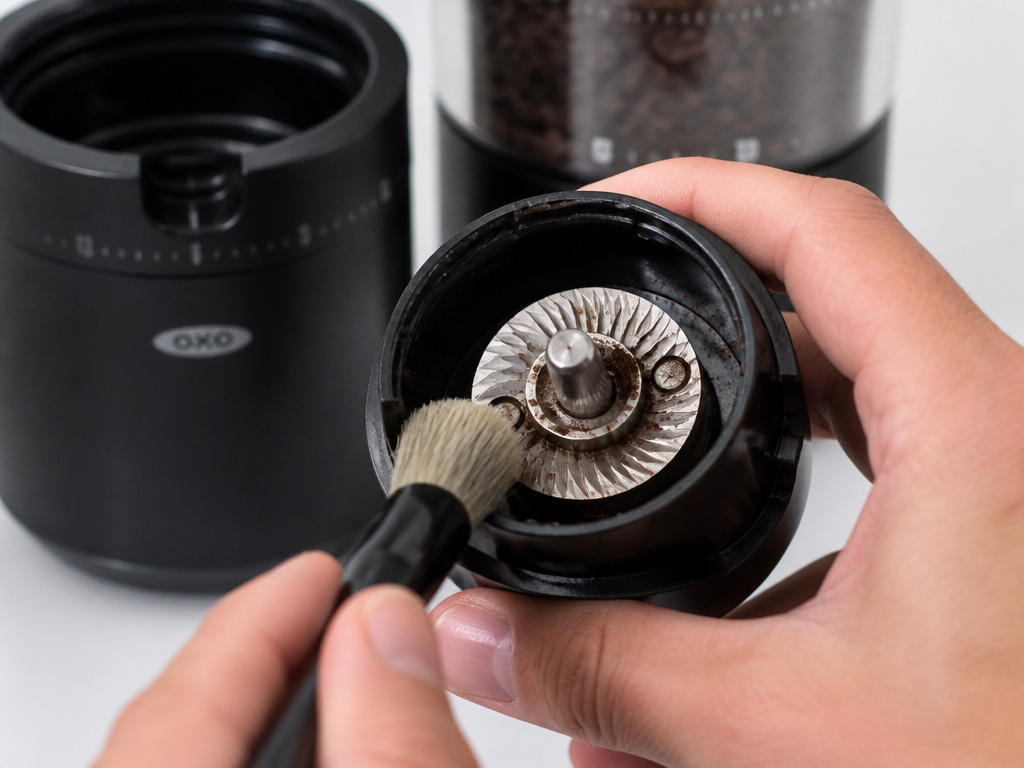
The OXO grinder requires minimal but regular cleaning. Never immerse the base, cord, or plug in water. Do not use abrasive cleaners.
After Every Use:
Wipe the exterior with a damp cloth. Remove the grounds container and lid. Wash them with warm, soapy water. Dry thoroughly before reassembling. Use the provided brush (or a soft, dry paintbrush) to sweep out any grounds from the lip of the grind chute and the area where the container seats.
Weekly or Monthly (Deep Clean):
Unplug the grinder. Remove all beans from the hopper. Use your brush to clean inside the hopper. To access the burrs, grip the outer hopper and lift it straight up and off the base. This exposes the top burr. Brush away any accumulated coffee oils and fine grounds from the burr and the chamber. Do not use water or cleaners here. Simply brush. Realign the hopper and press it down until it clicks back into place.
Never use rice, grind cleaner tablets, or any abrasive substance to “clean” the burrs. Rice is harder than coffee and can dull or chip the stainless steel cutting edges. Oils are best removed by occasionally grinding a small handful of cheap, sacrificial beans.
The burrs themselves are durable 40mm stainless steel. With normal home use, they should not need replacement for years. The machine carries a two-year warranty against defects in materials and workmanship for products sold and used in North America.
Consider your cleaning routine part of a broader sustainable practice, like choosing biodegradable filters. It’s about respecting the tool and the ingredients.
Matching Grind to Your Coffee
The 15 settings are a guide, not a law. The perfect grind for your French press on setting 15 can change with the bean. Dense, hard blonde roast beans often need a slightly finer grind than a dark roast for the same method. A light roast might extract better at a 13 instead of a 15.
Start with the manufacturer’s recommendations:
* Settings 1-3: Espresso, Moka pot.
* Settings 4-7: Drip coffee makers, AeroPress, some pour-overs.
* Settings 8-12: Cone pour-overs (like Hario V60), Chemex.
* Settings 13-15: French press, cold brew.
Your taste is the final judge. If your coffee tastes sour and weak, the grind is likely too coarse—water passes through too quickly without extracting enough. If it tastes bitter and harsh, the grind is probably too fine—water over-extracts, pulling out undesirable compounds. Adjust one click finer or coarser and try again.
The bean itself matters too. Understanding the difference between single origin coffee and blends can inform your grind. Single origins can be more delicate and prone to over-extraction, sometimes wanting a coarser grind than a robust blend.
TL;DR: Use the number guide as a starting point. Adjust finer if coffee is sour, coarser if it’s bitter. Bean density and roast level change the ideal setting.
Frequently Asked Questions
How do I reset my OXO coffee grinder?
There is no factory reset button. To clear a mode memory issue, unplug the grinder for two full minutes. This allows the internal capacitor to discharge fully, which can reset the logic board. Plug it back in; it will default to Cups mode, and you can then select your preferred mode again.
Can I grind spices in my OXO burr grinder?
Do not grind spices, nuts, or anything other than coffee beans. Oils from spices will coat the burrs and interior plastic, contaminating future coffee grinds with permanent, off flavors. The manual explicitly warns against this.
Why does my grinder pulse or sound uneven when running?
This is usually the sound of the low-speed 400 rpm DC motor working under load. It’s normal. If the sound is accompanied by a burning smell or if the motor stalls completely, unplug the unit immediately. You likely have a severe burr jam from adjusting the size while off, or a foreign object is lodged in the burrs.
Where can I find a PDF of the manual?
The official OXO manuals for models like the 8710200 and 8717000 are hosted on the OXO website. You can find direct links to the Barista Brain manual PDF and other resources through their support pages or authorized retailer sites like Seattle Coffee Gear.
The Bottom Line
Your OXO grinder is a precision tool, not a set-it-and-forget-it appliance. Its three modes and integrated scale give you control, but they demand you follow the rules: container clicked in, lid on, adjust the dial while running. Static is a battle you win with a drop of water. Skip the manufacturer’s advice on adjusting the burrs while the motor is off, and you’ll fight jams every week.
The payoff is in the cup. Consistent grounds from those 40mm stainless steel burrs make more flavor available from your beans, whether it’s a single-origin pour-over or a morning pot of drip. Treat the steps in this manual as your recipe. The grinder handles the rest.
{
“@context”: “https://schema.org”,
“@type”: “HowTo”,
“name”: “How to Set Up and Use an OXO Conical Burr Coffee Grinder”,
“totalTime”: “PT10M”,
“tool”: [
{
“@type”: “HowToTool”,
“name”: “OXO 8710200 or 8717000 conical burr coffee grinder”
},
{
“@type”: “HowToTool”,
“name”: “Whole coffee beans”
},
{
“@type”: “HowToTool”,
“name”: “Grounds container and lid”
}
],
“step”: [
{
“@type”: “HowToStep”,
“name”: “Assemble the grinder”,
“text”: “Slide the stainless steel grounds container onto the base until it clicks. Place the lid on the container. Fill the bean hopper with whole beans and secure the hopper lid.”
},
{
“@type”: “HowToStep”,
“name”: “Select your grind size”,
“text”: “Rotate the outer hopper to choose a setting from 1 (finest) to 15 (coarsest). The manual advises adjusting the dial while the motor is running to prevent burr jamming.”
},
{
“@type”: “HowToStep”,
“name”: “Choose a grinding mode”,
“text”: “Press the MODE button to cycle between Cups, Grams, and Manual/Portafilter. The integrated scale is active in Cups and Grams modes but disabled in Manual mode.”
},
{
“@type”: “HowToStep”,
“name”: “Start grinding”,
“text”: “Press the OXO button to begin. In weight-based modes, grinding stops automatically when the target is reached. Press the OXO button at any time to stop manually.”
}
]
}
{
“@context”: “https://schema.org”,
“@type”: “FAQPage”,
“mainEntity”: [
{
“@type”: “Question”,
“name”: “How do I reset my OXO coffee grinder?”,
“acceptedAnswer”: {
“@type”: “Answer”,
“text”: “There is no factory reset button. To clear a mode memory issue, unplug the grinder for two full minutes. This allows the internal capacitor to discharge fully, which can reset the logic board. Plug it back in; it will default to Cups mode, and you can then select your preferred mode again.”
}
},
{
“@type”: “Question”,
“name”: “Can I grind spices in my OXO burr grinder?”,
“acceptedAnswer”: {
“@type”: “Answer”,
“text”: “Do not grind spices, nuts, or anything other than coffee beans. Oils from spices will coat the burrs and interior plastic, contaminating future coffee grinds with permanent, off flavors. The manual explicitly warns against this.”
}
},
{
“@type”: “Question”,
“name”: “Why does my grinder pulse or sound uneven when running?”,
“acceptedAnswer”: {
“@type”: “Answer”,
“text”: “This is usually the sound of the low-speed 400 rpm DC motor working under load. It’s normal. If the sound is accompanied by a burning smell or if the motor stalls completely, unplug the unit immediately. You likely have a severe burr jam from adjusting the size while off, or a foreign object is lodged in the burrs.”
}
},
{
“@type”: “Question”,
“name”: “Where can I find a PDF of the manual?”,
“acceptedAnswer”: {
“@type”: “Answer”,
“text”: “The official OXO manuals for models like the 8710200 and 8717000 are hosted on the OXO website. You can find direct links to the Barista Brain manual PDF and other resources through their support pages or authorized retailer sites like Seattle Coffee Gear.”
}
}
]
}
