
How to Use Your Ninja Coffee Maker | Essential Guide & Tips
To use a Ninja coffee maker, fill the reservoir with cold water, insert the filter basket with one tablespoon of medium-grind coffee per six ounces of water, select your brew size and style on the control panel, and press brew. The key is matching your coffee’s grind size to the machine’s showerhead, too fine clogs the basket, too coarse makes weak coffee.
Most people treat their Ninja like any other drip machine. They ignore the grind setting, skip the manual’s descaling schedule, and never use the Drip Stop. That leaves half the machine’s potential, and your coffee’s flavor, untapped.
This guide walks through the setup, the daily brew, and the advanced features that separate a good cup from a great one. We’ll cover the critical maintenance step tied to a 2017 safety recall and explain why your water’s hardness changes the cleaning schedule.
Key Takeaways
- Match your coffee’s grind size to the machine: a medium grind works for most Ninja models, while a fine grind can clog the permanent filter and stall the pump.
- The Drip Stop lever pauses brewing for up to 20 seconds, use it to swap mugs mid-brew without making a mess on the hot plate.
- Descale every three months with white vinegar or a commercial solution; in hard water areas, double that frequency to prevent mineral buildup that can damage the internal heater.
- Check your model number against the 2017 glass carafe recall (CF080, CF090 series). If affected, contact SharkNinja for a free replacement carafe to avoid laceration risk.
- For milk-based drinks on a CM400 series, use the Fold-Away Frother with cold milk for the best foam texture, steaming it first creates large, unstable bubbles.
The First Brew: Setup and Basic Operation
Your Ninja’s manual has diagrams. This section has the context the diagrams leave out.
Start with the water reservoir. It pulls out from the back or side. Fill it with cold, filtered water to the line matching your desired brew size. The machine’s internal pump and heater are calibrated for cold water input. Using hot water from the tap doesn’t speed things up, it can throw off the thermal sensor and brew at the wrong temperature.
The Ninja Coffee Bar System (CF080) holds 43 oz, and the Ninja Specialty Coffee Maker (CM400) holds 50 oz, per their respective owner’s guides. Brew sizes range from a 9 oz single cup to a full 43-47 oz carafe.
Next, the filter basket. You have two options: the reusable permanent metal filter or paper filters. The permanent filter is standard. It has a fine mesh. A medium grind works here. If you use a blade grinder, pulse for 8-10 seconds. A burr grinder set to a medium drip setting is ideal. Too fine a grind, like espresso fine, will clog the mesh. Water pools on top of the grounds, and the brew cycle takes forever. Too coarse, and water runs through too fast. Your coffee tastes weak and sour.
Paper filters are cleaner. They trap oils and fine sediment. Use standard #4 cone filters. They fit, but sometimes need a gentle press to seat fully in the basket. If you’re choosing between paper types, the debate between bleached coffee filters and unbleached filters comes down to taste preference and environmental concern. Bleached filters have no paper taste; unbleached can impart a slight woody note on the first few uses.
Add your grounds. The universal ratio is one tablespoon of ground coffee per six ounces of water. For a full carafe on a CF080 model (43 oz), that’s roughly seven tablespoons. Scoop, don’t pack. Now place the carafe or your mug on the warming plate.
Select your brew size. The control panel has buttons for Cup, Travel Mug, XL Multi-Serve, and Carafe. Press the one you want. The machine calculates the water volume and brew time accordingly. Then, choose a brew style if your model has them: Classic, Rich, Over Ice, or Specialty. Rich uses a slower bloom phase for stronger flavor. Over Ice brews a more concentrated coffee directly over ice so it doesn’t get watered down. Press the brew button.
The showerhead will wet the grounds evenly. That’s it. Your first brew is running.
TL;DR: Cold water in the reservoir, a medium grind in the filter, and the correct brew size selection are the three non-negotiable steps for a proper first brew.
Understanding Your Model’s Control Panel
Not all Ninja panels are the same. The CF080 Coffee Bar System has a different layout from the CM400 Specialty Coffee Maker. Knowing which buttons do what prevents under-extraction and wasted coffee.
The core buttons are universal: Power, Brew Size (Cup, Mug, Carafe), and Brew/Cancel. The brew style buttons are where the machines diverge. The CF080 series typically offers Classic, Rich, and Over Ice. The CM400 series adds a Specialty button for brewing coffee at an optimized strength for milk-based drinks when using the frother.
Common mistake: Using the “Over Ice” setting for hot coffee, this brews a stronger, smaller volume intended to melt ice without dilution. Using it for a standard cup results in an overly strong, bitter brew.
The “Rich” setting isn’t just a stronger button. It alters the brew cycle. It introduces a brief pause after the initial bloom, allowing grounds to saturate more thoroughly before the main water flow continues. This extracts more flavor compounds without over-extracting bitterness. It adds about 30 seconds to the total brew time. Use it for single-origin beans where you want clarity, or for blonde roast beans that need a bit more extraction to shine.
The “Delay Brew” feature, if present, lets you set a time for the machine to start automatically. Always use fresh, cold water in the reservoir when setting a delay. Stale water sitting in the tank for hours picks up plastic tastes. The machine will heat it from cold, so factor in the extra 2-3 minutes for the heater to reach temperature.
Here’s a breakdown of what each primary setting adjusts:
| Brew Setting | Best For | What It Changes |
|---|---|---|
| Classic | Everyday drinking | Standard brew time and temperature (92-96°C) |
| Rich | Light roasts, single-origin coffee | Adds a 30-second bloom pause for greater extraction |
| Over Ice | Iced coffee | Brews a more concentrated volume directly over ice |
| Specialty (CM400) | Milk drinks | Slightly stronger brew to balance added milk |
If you’re comparing this method to others, the fundamental process shares DNA with standard drip coffee makers, but with more user control over the strength variable.
Advanced Features Beyond the Basics
Ninja packs in features most people discover by accident. The Drip Stop lever is the most useful one you aren’t using.
On CF080 and many other models, a small lever sits near the basket. This is the Drip Stop. It physically blocks the flow of coffee from the basket into the carafe. Press it down anytime during brewing. The flow stops for up to 20 seconds. This lets you pull the carafe out to pour a cup before the brew is finished, or to swap to a different mug without coffee cascading onto the hot plate. Release the lever and brewing resumes. It’s a simple mechanical fix for a common annoyance.
The Fold-Away Frother on the CM400 series is a dedicated milk frother. It’s not a steam wand. You pour cold milk into the frothing pitcher, place it under the spout, and select the froth setting. The machine whisks air into the milk using a spinning disc, creating foam for lattes and cappuccinos. The manual says to use cold milk. That’s correct. The friction from the spinning disc warms the milk to about 65°C. If you steam milk first, you get large, unstable bubbles that collapse quickly.
For the Coffee Bar System with a hot milk frother, the process is different. You add milk to the frother jug, attach it to the machine, and select the froth function. It uses steam and a whisk to texture the milk. This gets hotter, closer to 70°C. Clean it immediately after. Dried milk coats the whisk and the heating element, causing a burned smell next time.
The single-serve function. Most Ninja brewers can make a single cup directly into a mug, bypassing the carafe. You must use the included coffee mug tray and place your mug on it. This tray lifts the mug so it aligns with the basket outlet. If you skip the tray, the coffee drips from a height, splashing and making a mess. The tray is not optional.
Essential Maintenance and the 60-Minute Clean Cycle
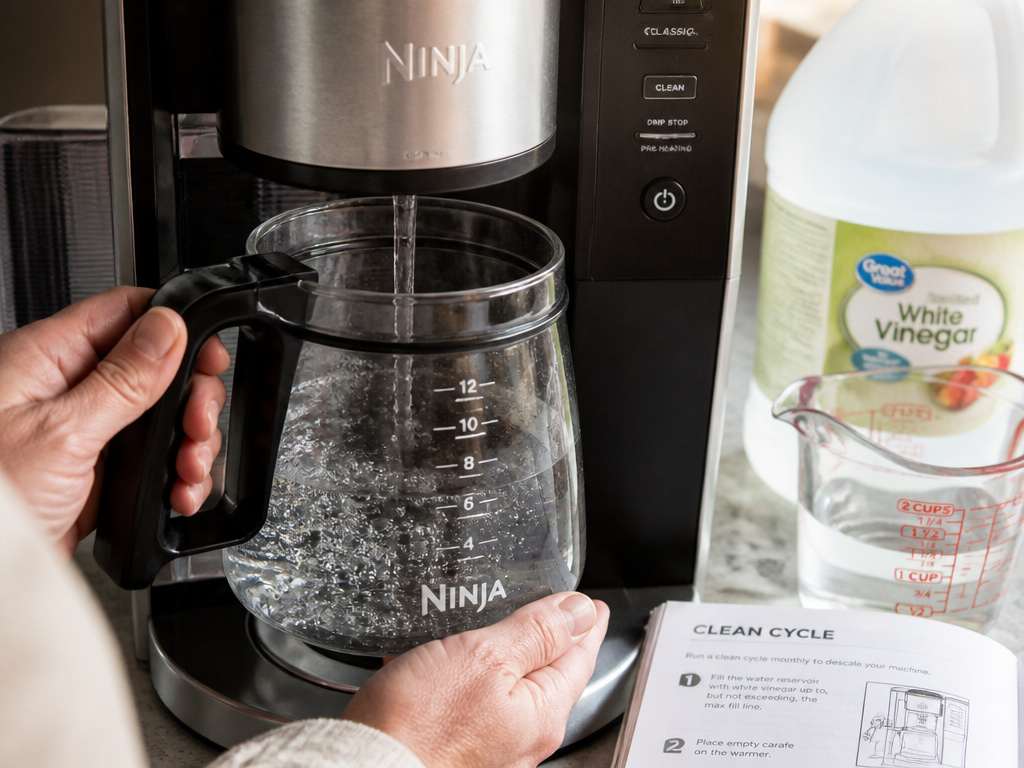
Coffee makers are wet, warm, and dark inside. They grow things. Ninja’s cleaning cycle is a 60-minute process that flushes the system with fresh water. You should run it monthly.
The cycle is in the manual. Press and hold the “Clean” button for 3 seconds until the light flashes. The machine will run water through its internal tubes, the heater, and the showerhead in a series of pulses. It takes an hour. Do it on a weekend afternoon. The machine will beep when it’s done. This cycle removes coffee oils and loose mineral scale from the internal lines. It does not remove hard, baked-on limescale. For that, you need to descale.
Descaling uses acid to dissolve mineral deposits. The official manual says every 3-6 months. That’s for average water. If you have hard water, you see white scale on your showerhead or kettle, descaling every six weeks is smarter. The minerals (calcium, magnesium) build up on the heating element. This acts as an insulator. The heater works harder and gets hotter to transfer heat to the water. You’ll hear more clicking from the thermostat. Eventually, the element can overheat and fail.
Before you start: Unplug the machine and let it cool. Descaling solution or vinegar is acidic and can irritate skin and eyes. Work in a well-ventilated area, as the process produces mild acetic acid vapors.
The descaling process itself is straightforward:
1. Fill the reservoir with a 50/50 mix of white vinegar and cold water.
2. Place a large carafe or bowl on the warming plate to catch the solution.
3. Start a full carafe brew cycle. Let half the solution run through, then turn the machine off.
4. Let it sit for 30 minutes. This lets the acid work.
5. Turn it back on and complete the brew cycle.
6. Rinse thoroughly by running two full reservoirs of clean water through the machine.
The vinegar smell will linger for a cycle or two. That’s normal. If you prefer a scent-free option, use a commercial descaling solution like Dezcal or Keurig Descaling Solution, following its bottle instructions.
The carafe recall matters here. In 2017, SharkNinja recalled about 1 million glass carafes for the CF080 and CF090 series because they could break during handling, posing a laceration hazard. If your model number matches (CF080, CF090, etc.), check if your carafe is part of the recall. A damaged or recalled carafe is a safety risk, especially when handling hot liquids during cleaning. You can contact SharkNinja for a free replacement.
TL;DR: Run the clean cycle monthly to flush oils. Descale with vinegar every 3 months, or every 6 weeks in hard water areas, to prevent heater failure. Verify your carafe is not part of the 2017 safety recall.
Troubleshooting Common Ninja Coffee Maker Issues
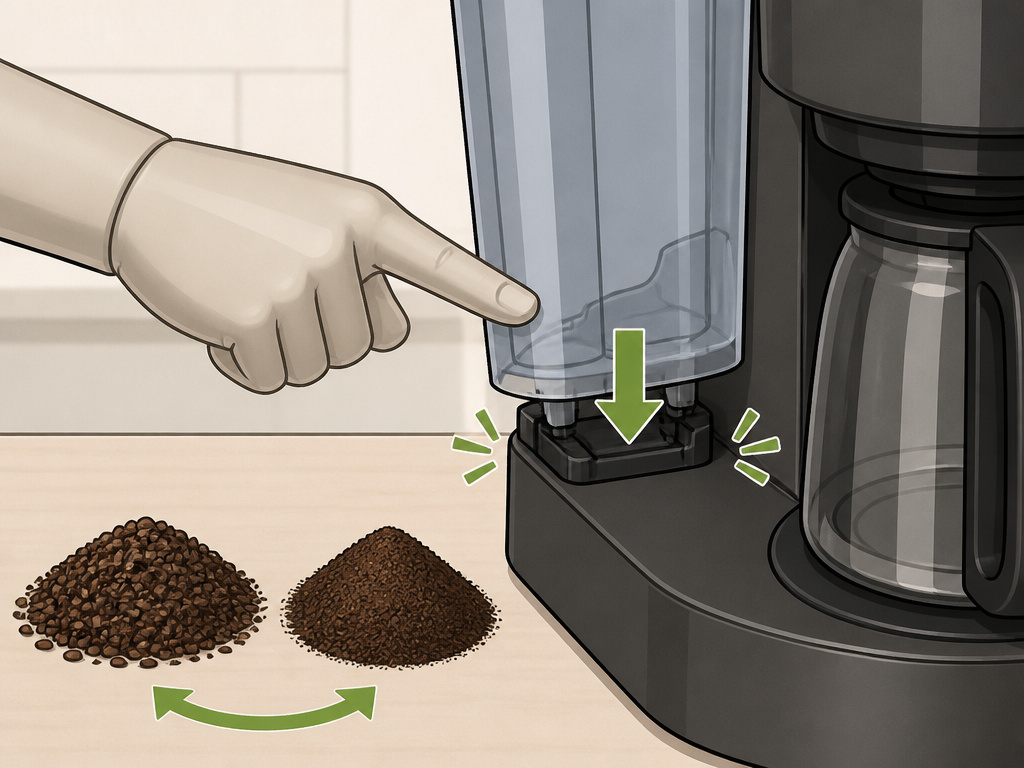
A problem usually points to one of three things: water flow, grind size, or scale.
Coffee tastes weak or sour. This is under-extraction. The water is passing through the grounds too quickly. The fix is a finer grind. If you’re already using a medium grind, your burr grinder might need calibration. Blade-ground coffee is inconsistent, it has both powder and boulders. The water finds the path of least resistance through the boulders. Switch to a burr grinder for uniform particles. Also, check your coffee-to-water ratio. You might simply not be using enough coffee.
Coffee tastes bitter or harsh. This is over-extraction. The water is in contact with the grounds for too long. The cause is usually a grind that’s too fine, clogging the filter. Switch to a coarser grind setting. Another cause is using the “Rich” setting with a dark roast that’s already very soluble, it over-extracts bitter compounds. Use Classic for dark roasts.
Machine won’t turn on or brew. Check the obvious: is it plugged in? Is the power button pressed? Is the water reservoir fully seated? There’s a magnetic sensor in the reservoir slot on some models. If the reservoir isn’t clicked in, the machine won’t start, thinking it’s empty. Remove it and re-seat it firmly.
Water leaks from the bottom. This is almost always a clogged internal line or a failed seal due to scale. Scale buildup can crack rubber seals inside the water tank assembly. You need to descale. If leaking continues after descaling, the internal seal may be damaged and require service.
The brew pauses for a long time, then continues. This is normal for the “Rich” cycle. If it’s happening on the Classic cycle, you likely have a partial clog in the showerhead or filter. Clean the permanent filter with a brush under hot water. Run the clean cycle. If the problem persists, descale.
| Symptom | Likely Cause | Immediate Fix |
|---|---|---|
| Weak, sour coffee | Grind too coarse / not enough coffee | Use finer grind, increase coffee dose |
| Bitter, harsh coffee | Grind too fine / dark roast on Rich setting | Use coarser grind, use Classic setting |
| No power / no brew | Reservoir not seated / no water | Re-seat reservoir, fill with water |
| Leaking from base | Scale-cracked seal / clogged line | Descale machine thoroughly |
| Slow, intermittent brewing | Clogged filter / mineral buildup | Clean filter, run clean cycle, descale |
For issues related to other equipment, remember that a Ninja blender is not designed as a primary coffee grinder, though it can work in a pinch with a very careful pulsing technique.
Choosing the Right Coffee for Your Ninja
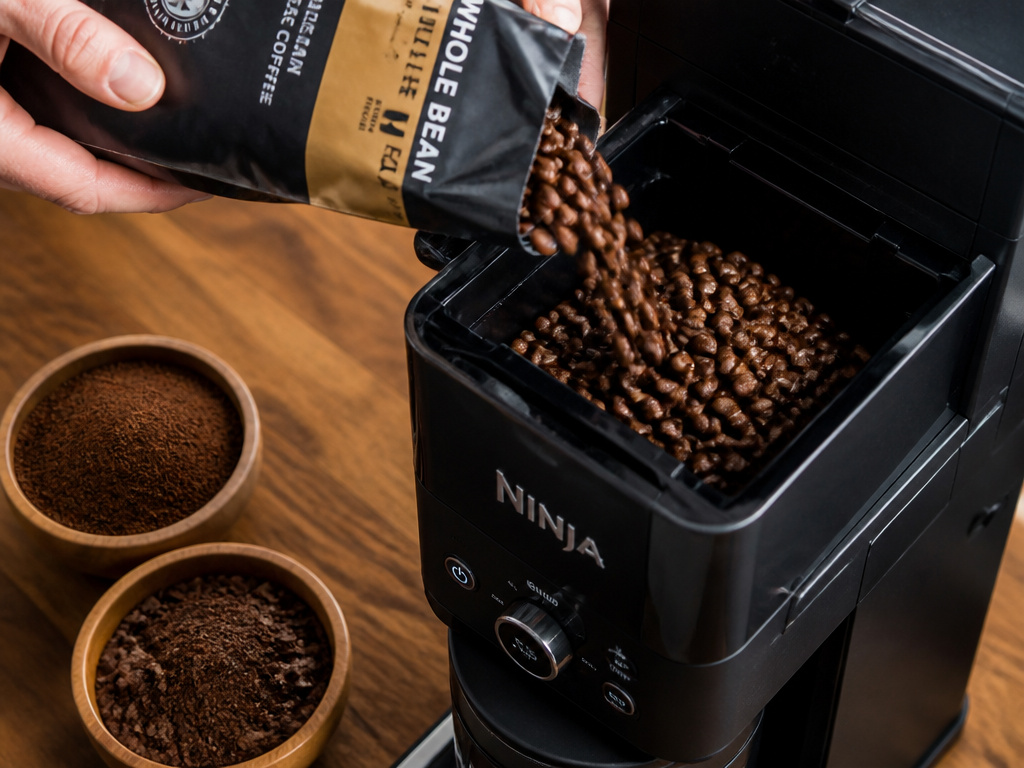
The machine is half the equation. The beans are the other half. A Ninja drip machine is versatile, it can handle a wide range of coffee bean origins and roasts.
For everyday drinking, a medium roast blend is forgiving. It has balanced acidity and body. The Ninja’s hot water (92-96°C) extracts it well on the Classic setting. A blend vs single-origin decision comes down to preference. Blends are crafted for consistency. Single-origins offer unique, terroir-driven flavors that can be highlighted on the Rich setting.
Light roasts and blonde roasts have more retained acidity and delicate notes. They often need the extra extraction time of the Rich setting to pull out enough sweetness to balance the acidity. A light roast on Classic can taste sour and thin.
Dark roasts are oily and very soluble. They extract quickly. Use the Classic setting to avoid pulling out ashy, bitter compounds. The Rich setting will over-extract them.
Grind size is non-negotiable. You want a medium grind, similar to table salt. If you buy pre-ground, choose a grind labeled for “drip coffee makers” or “automatic drip.” If you grind at home, a burr grinder is the only way to get consistent particles. A blade grinder creates a mix of dust and chunks. The dust over-extracts and clogs; the chunks under-extract. The result is a muddy, unbalanced cup.
The water matters. If your tap water tastes bad or is very hard, your coffee will too. Use a simple carbon filter pitcher. It removes chlorine and some minerals. Avoid distilled or reverse osmosis water, it lacks minerals that actually help extract flavor, resulting in a flat-tasting brew.
Frequently Asked Questions
Why does my Ninja coffee maker take so long to brew?
long brew time usually means a clog. The most common clog is in the permanent filter from using too fine a grind. Clean the filter with a small brush under hot water. The second cause is scale buildup in the internal heater tube, restricting water flow. Descale the machine following the vinegar method.
Can I use my Ninja without the permanent filter?
No. The filter basket is designed to hold either the permanent filter or a paper filter. If you try to brew without any filter, grounds will flow directly into the carafe and likely clog the exit spout. You must use one or the other. For paper filters, standard #4 cone filters work, though Ninja-branded filters guarantee a perfect fit.
What’s the difference between the Coffee Bar System and the Specialty Coffee Maker?
The main difference is the frother. The Coffee Bar System (CF080) typically has a separate hot milk frother jug. The Specialty Coffee Maker (CM400) has a built-in Fold-Away Frother for cold frothing. The CM400 also often has a “Specialty” brew button optimized for milk drinks. Reservoir sizes and brew size options also differ slightly between series.
How do I make iced coffee with my Ninja?
Use the “Over Ice” setting. This button is programmed to brew a stronger, more concentrated coffee directly over a carafe full of ice. The hot, strong coffee melts some ice but doesn’t become watered down. Do not use the Classic setting and pour over ice, you’ll get weak, diluted iced coffee.
Is it okay to leave water in the reservoir?
Yes, but not for extended periods. It’s fine to leave water in between daily brews. If you won’t use the machine for a week or more, empty and dry the reservoir to prevent stale water or microbial growth. Always use fresh, cold water for each brewing session for the best taste.
Where can I find replacement filters or carafes?
Replacement permanent filters and glass carafes are sold on the SharkNinja website and through major retailers like Amazon, Target, and Walmart. Ensure you get the correct model number. For carafes, specifically check if you need a post-recall replacement model if yours is from the CF080/090 series.
The Bottom Line
Using a Ninja coffee maker well means moving past the basic push-button routine. It’s about pairing a medium grind with the right brew style. Rich for light roasts, Classic for dark. It’s about using the Drip Stop lever to manage your mugs and committing to a descaling schedule that matches your water’s hardness.
The machine’s advanced features exist to give you control over strength and temperature. Ignoring them leaves flavor on the table. More importantly, maintaining it isn’t just about taste. It’s about safety and longevity, underscored by the 2017 carafe recall. A clean, descaled machine with a sound carafe is a reliable one.
Your coffee ritual should be simple, not simplistic. Set it up right, understand the settings, and keep it clean. The result is a consistently excellent cup, brew after brew.
{
“@context”: “https://schema.org”,
“@type”: “HowTo”,
“name”: “How to Use a Ninja Coffee Maker”,
“totalTime”: “PT10M”,
“tool”: [
{
“@type”: “HowToTool”,
“name”: “Ninja Coffee Bar System or Specialty Coffee Maker”
},
{
“@type”: “HowToTool”,
“name”: “Ninja permanent filter or #4 paper filters”
},
{
“@type”: “HowToTool”,
“name”: “Fresh, medium-grind coffee beans”
}
],
“step”: [
{
“@type”: “HowToStep”,
“name”: “Fill the reservoir with cold water”,
“text”: “Remove the water reservoir and fill it with cold, filtered water to the desired line corresponding to your brew size.”
},
{
“@type”: “HowToStep”,
“name”: “Insert the filter and add grounds”,
“text”: “Place the permanent filter or a paper filter in the basket. Add one tablespoon of medium-grind coffee per 6 oz of water.”
},
{
“@type”: “HowToStep”,
“name”: “Select your brew size and style”,
“text”: “Place your carafe or mug on the warming plate. Press the power button, then select your brew size (e.g., Cup, Travel Mug, Carafe) and any specialty setting like Rich or Over Ice.”
},
{
“@type”: “HowToStep”,
“name”: “Start the brew and use Drip Stop”,
“text”: “Press the brew button. To pause brewing for up to 20 seconds to grab a mug, press the Drip Stop lever on compatible models.”
}
]
}
{
“@context”: “https://schema.org”,
“@type”: “FAQPage”,
“mainEntity”: [
{
“@type”: “Question”,
“name”: “Why does my Ninja coffee maker take so long to brew?”,
“acceptedAnswer”: {
“@type”: “Answer”,
“text”: “long brew time usually means a clog. The most common clog is in the permanent filter from using too fine a grind. Clean the filter with a small brush under hot water. The second cause is scale buildup in the internal heater tube, restricting water flow. Descale the machine following the vinegar method.”
}
},
{
“@type”: “Question”,
“name”: “Can I use my Ninja without the permanent filter?”,
“acceptedAnswer”: {
“@type”: “Answer”,
“text”: “No. The filter basket is designed to hold either the permanent filter or a paper filter. If you try to brew without any filter, grounds will flow directly into the carafe and likely clog the exit spout. You must use one or the other. For paper filters, standard #4 cone filters work, though Ninja-branded filters guarantee a perfect fit.”
}
},
{
“@type”: “Question”,
“name”: “What’s the difference between the Coffee Bar System and the Specialty Coffee Maker?”,
“acceptedAnswer”: {
“@type”: “Answer”,
“text”: “The main difference is the frother. The Coffee Bar System (CF080) typically has a separate hot milk frother jug. The Specialty Coffee Maker (CM400) has a built-in Fold-Away Frother for cold frothing. The CM400 also often has a \”Specialty\” brew button optimized for milk drinks. Reservoir sizes and brew size options also differ slightly between series.”
}
},
{
“@type”: “Question”,
“name”: “How do I make iced coffee with my Ninja?”,
“acceptedAnswer”: {
“@type”: “Answer”,
“text”: “Use the \”Over Ice\” setting. This button is programmed to brew a stronger, more concentrated coffee directly over a carafe full of ice. The hot, strong coffee melts some ice but doesn’t become watered down. Do not use the Classic setting and pour over ice, you’ll get weak, diluted iced coffee.”
}
},
{
“@type”: “Question”,
“name”: “Is it okay to leave water in the reservoir?”,
“acceptedAnswer”: {
“@type”: “Answer”,
“text”: “Yes, but not for extended periods. It’s fine to leave water in between daily brews. If you won’t use the machine for a week or more, empty and dry the reservoir to prevent stale water or microbial growth. Always use fresh, cold water for each brewing session for the best taste.”
}
},
{
“@type”: “Question”,
“name”: “Where can I find replacement filters or carafes?”,
“acceptedAnswer”: {
“@type”: “Answer”,
“text”: “Replacement permanent filters and glass carafes are sold on the SharkNinja website and through major retailers like Amazon, Target, and Walmart. Ensure you get the correct model number. For carafes, specifically check if you need a post-recall replacement model if yours is from the CF080/090 series.”
}
}
]
}
